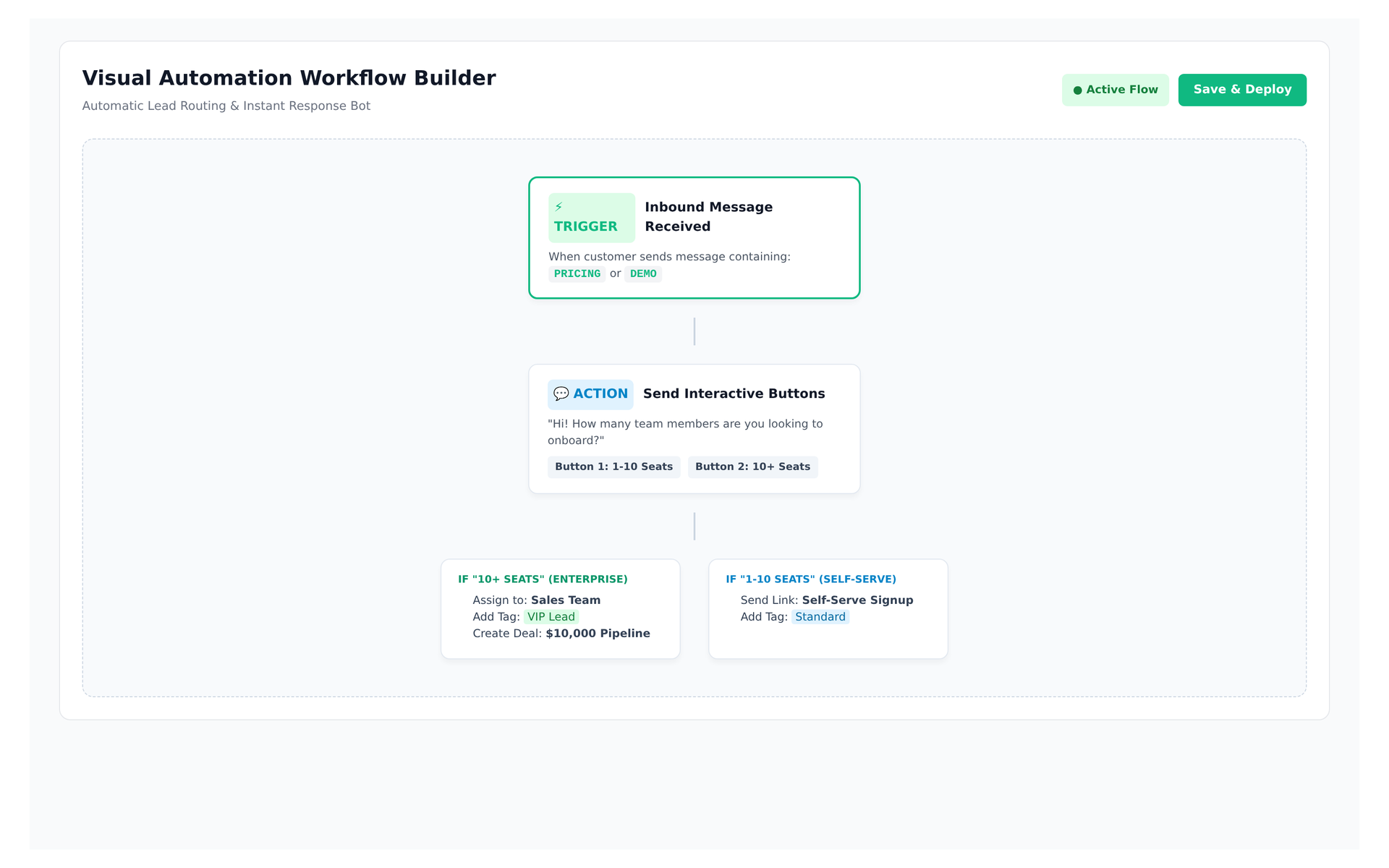
Live preview of Convoup's Automation Workflows interface in action
The Challenge
When a customer messages "pricing," someone must read it, decide who handles it, assign it, and follow up. At scale this breaks down — response times increase, conversations get dropped, and high-value leads are lost. WhatsApp's webhook events (`messages`, `message_template_status_update`, `message_echoes`) provide the signals to automate, but building routing logic from scratch requires engineering effort.
How Convoup Helps
Convoup's automation workflows let you define rules using multiple trigger types: keyword match, inbound message, time-based, or webhook event. Actions include: reply with a text or template message, assign to an agent or team, apply a tag, update a contact field, or trigger a broadcast. Rules execute in order, and a single inbound message can trigger multiple actions.
- Keyword-triggered rules — auto-assign and auto-reply.
- Time-based workflows — follow up after X hours, escalate after 24 hours.
- Webhook triggers — connect external events to WhatsApp actions.
- Action types: reply, assign, tag, route, broadcast.
Works with Shared Team Inbox, Tags & Segments, and No-code Chatbot.
Event-Driven Routing & Rules
Smart Workflow Automation
Set up trigger-action rules for inbound keywords, time delays, and external webhooks.
Automate Workflows


Multi-Condition Logic
Branch workflows based on agent availability, business hours, or contact tags.
Webhook Integration
Connect Shopify, HubSpot, or custom backends to trigger instant WhatsApp alerts.