Tags & Segments
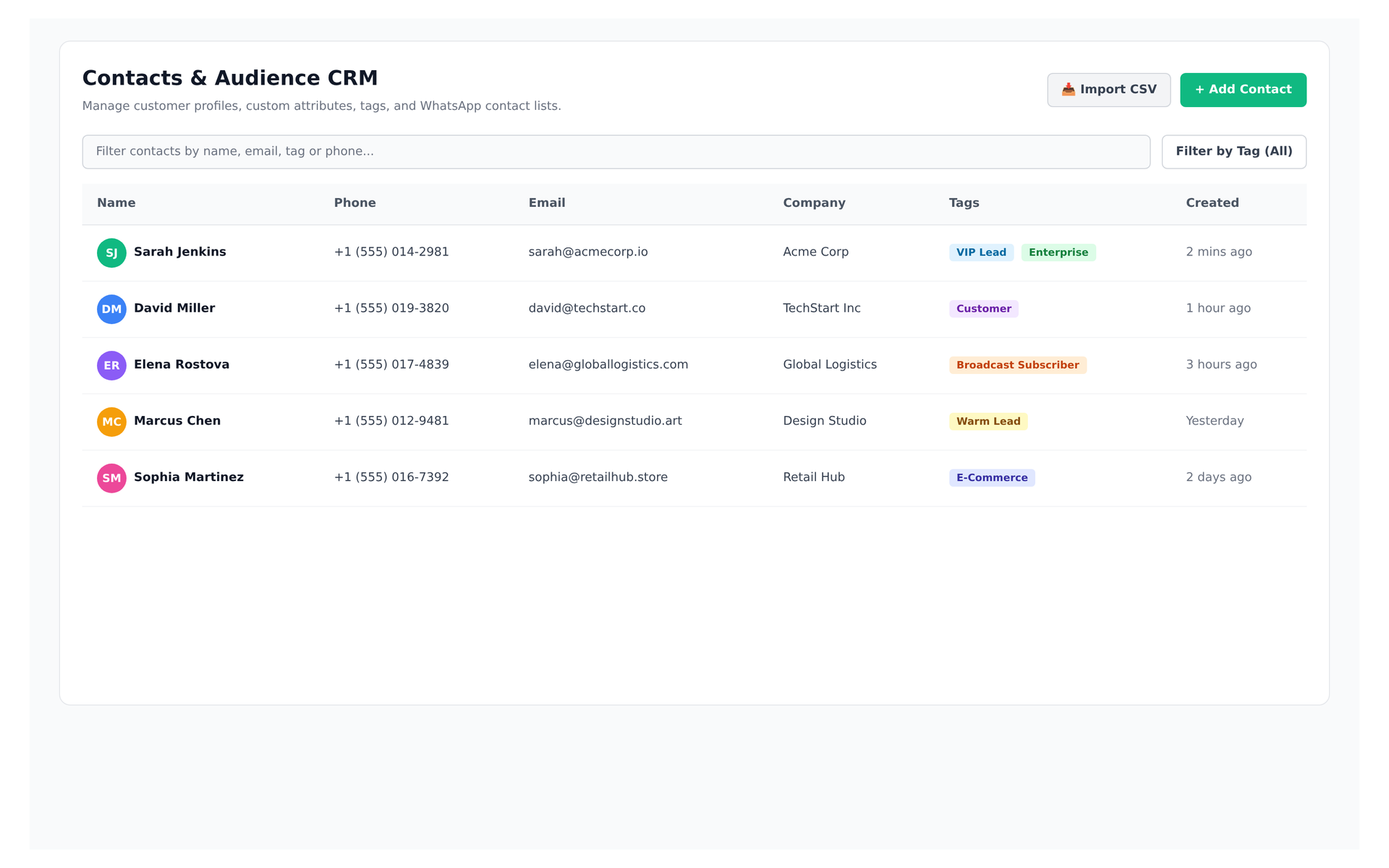
Live preview of Convoup's Tags & Segments interface in action
The Challenge
Without tagging, all contacts are treated the same. You cannot send a win-back offer to churned customers without manually identifying them, nor exclude existing customers from a new-lead broadcast. On WhatsApp, this matters more than email because every marketing conversation is billed by Meta, and sending to the wrong segment wastes money and increases opt-out risk.
How Convoup Helps
Tags are manual labels (for example, `churned-customer`, `vip`, `enterprise`) that can be applied manually or automatically via automation rules. Segments are dynamic filters that combine tags, custom fields, and attributes. When creating a broadcast, you select a segment, and only contacts matching that segment receive the message. The segment size is displayed before sending so you can estimate cost.
- Apply tags manually or automatically via automation rules.
- Create dynamic segments from tags, fields, or attributes.
- Target broadcasts to specific segments; only matching contacts receive the message.
- Segment size is displayed before sending to support cost estimation.
Works with Contact Management, Broadcast Campaigns, and Shared Team Inbox.
Segments can only include contacts with recorded opt-in. Sending to contacts without valid opt-in violates WhatsApp's Business Messaging Policy.
Precision Audience Segmentation
Dynamic Smart Segments
Filter contacts instantly by VIP status, past purchases, or custom tags to target the exact audience.
Create Segments


Real-Time Audience Sizing
View live contact counts before dispatching marketing or utility messages.
Cost Estimation Guardrails
Avoid accidental message spam and predict billing prior to send.