Shared Team Inbox
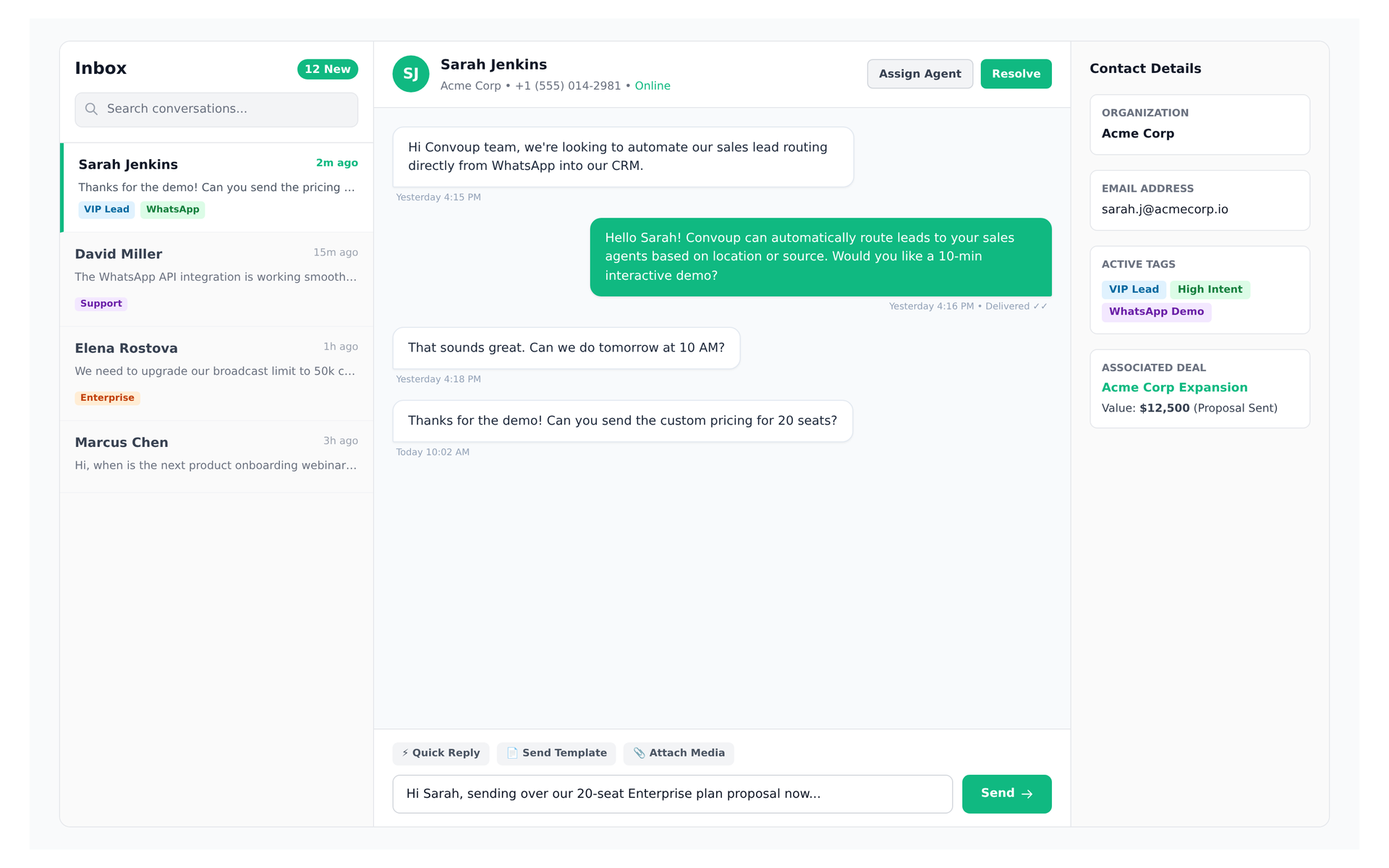
Live preview of Convoup's Shared Team Inbox interface in action
The Challenge
The WhatsApp Business Platform's Cloud API allows a single phone number to be used by multiple agents — unlike the WhatsApp Business App, which supports only four linked devices (or ten with Meta Verified). Messages arrive as JSON payloads via webhook, but Meta provides no shared inbox, no assignment, and no collision detection. Without an inbox layer, two agents can reply to the same conversation or a message can go unanswered because no one claimed it.
How Convoup Helps
Convoup listens to Meta's webhook for inbound messages and displays them in a single timeline grouped by contact. When a message arrives, it appears in an unassigned queue. An agent claims the conversation, and from that point the thread is visible only to that agent unless manually reassigned. Team members can add internal notes that customers never see. Delivery and read receipts for each outbound message are surfaced in the thread based on webhook status updates from Meta. All activity is attached to the contact record, so nothing is lost or double-answered.
- All inbound messages arrive via Meta's webhook and appear in a single timeline, grouped by contact with timestamps.
- Agents claim unassigned conversations; claimed threads are visible only to the assigned agent to prevent duplicate replies.
- Internal notes let teammates collaborate on a conversation without sending messages to the customer.
- Delivery and read receipts per message are shown in the thread, based on webhook status updates from Meta.
Works with Contact Management, Tags & Segments, and Automation Workflows.
Agents can send free-form replies within 24 hours of the customer's last message. After that window closes, only Meta-approved message templates may be used. Convoup does not override this window.
Zero Double-Replies. Total Visibility.
Collision-Free Team Operations
Automatic conversation assignment locks threads to active agents while keeping supervisors informed.
Try Shared Inbox


Real-Time Collision Detection
See typing indicators when another team member is viewing or drafting a response.
Internal Discussion Threads
Tag colleagues internally on tricky inquiries without customer visibility.